Piggy Bank keeps track of your bank accounts, credit cards, savings, budgets and bills. You log in from your phone or PC to your own private household accounts, which nobody else using Piggy Bank can see, and it can bring your whole history across from Buxfer.
No charge and no subscription: we just ask you to donate to Breast Cancer Now instead.
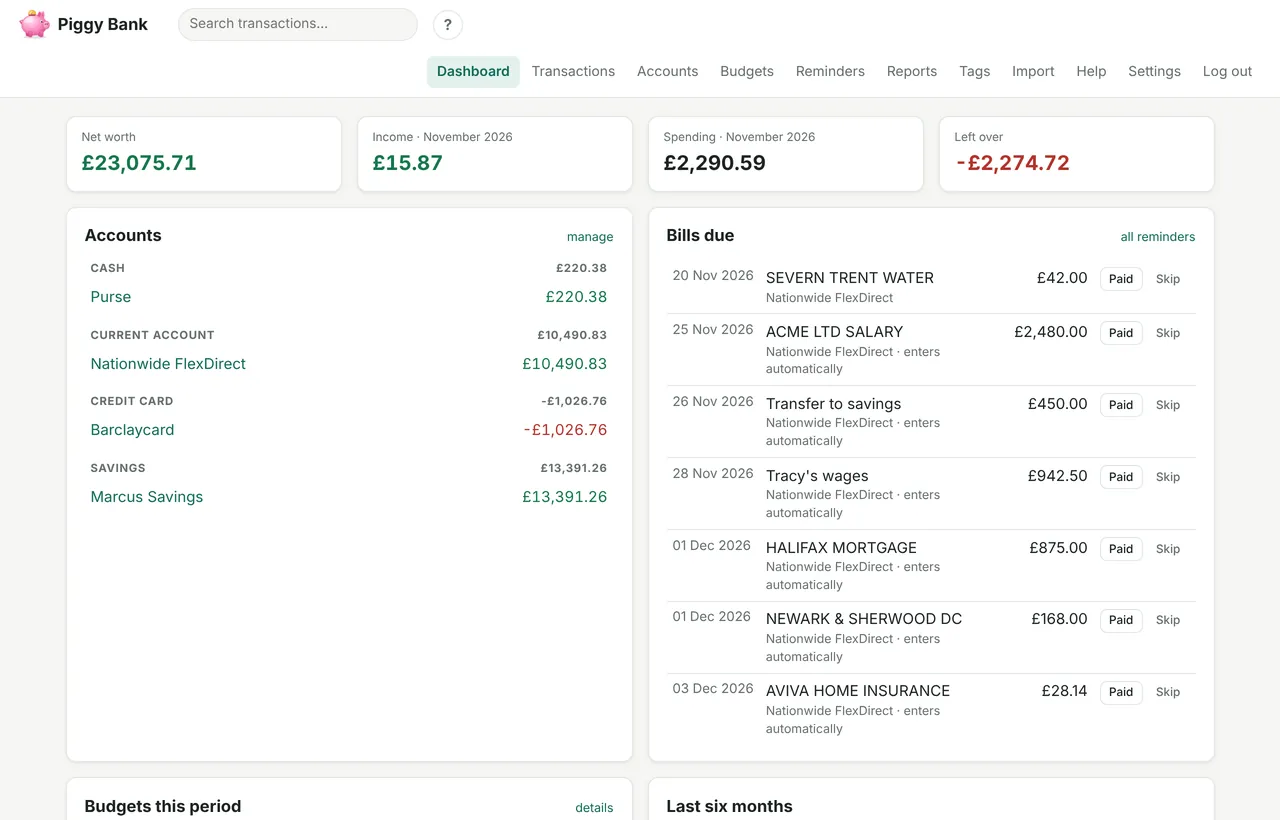
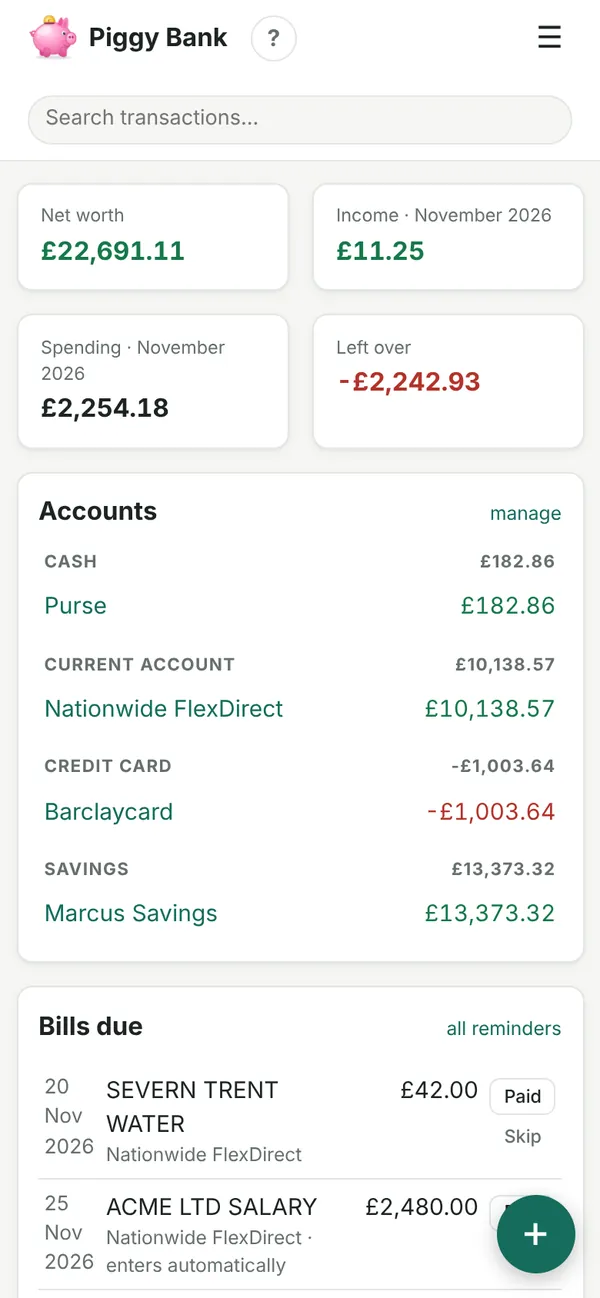
There's no charge for a Piggy Bank account. In return, please make a donation, of whatever you can, to Tracy's JustGiving page raising money for Breast Cancer Now. If you're moving from a paid service, why not give the charity what a few months' subscription would have cost?
Your donation goes through JustGiving to the charity. None of it comes to us.
Built to replace an expensive online money manager: the parts people actually use, without the subscription.
Current accounts, credit cards, savings and cash, grouped and totalled, with your net worth at a glance.
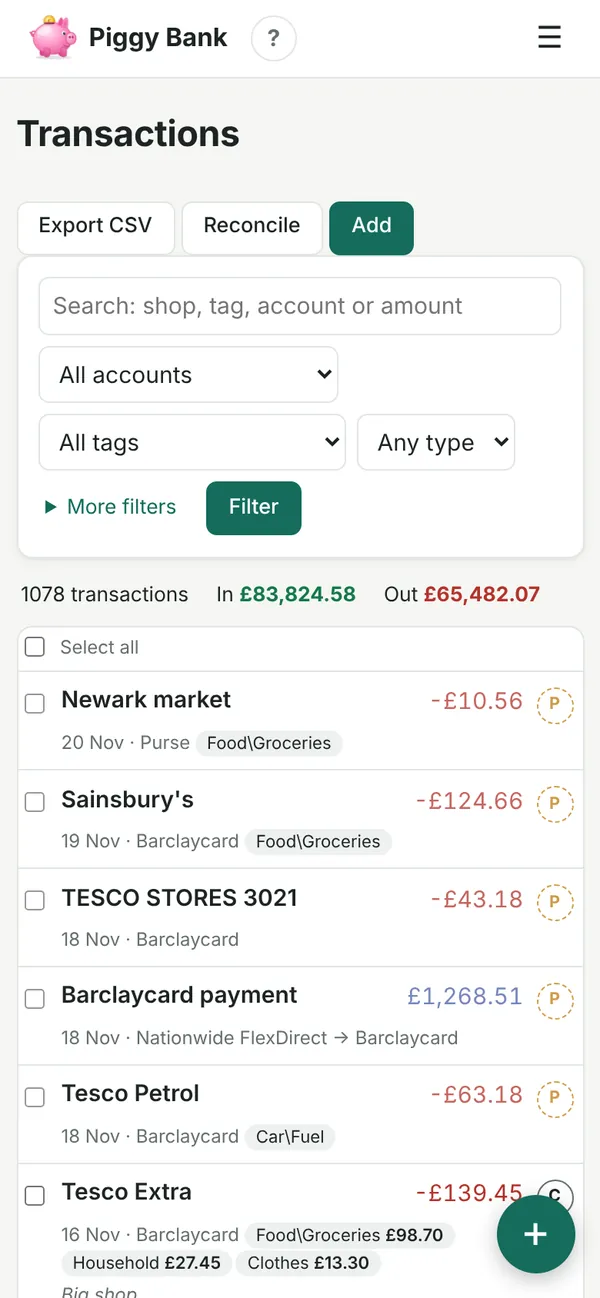
Expenses, income, refunds and transfers. Search by shop, tag, account or amount, and edit several at once.
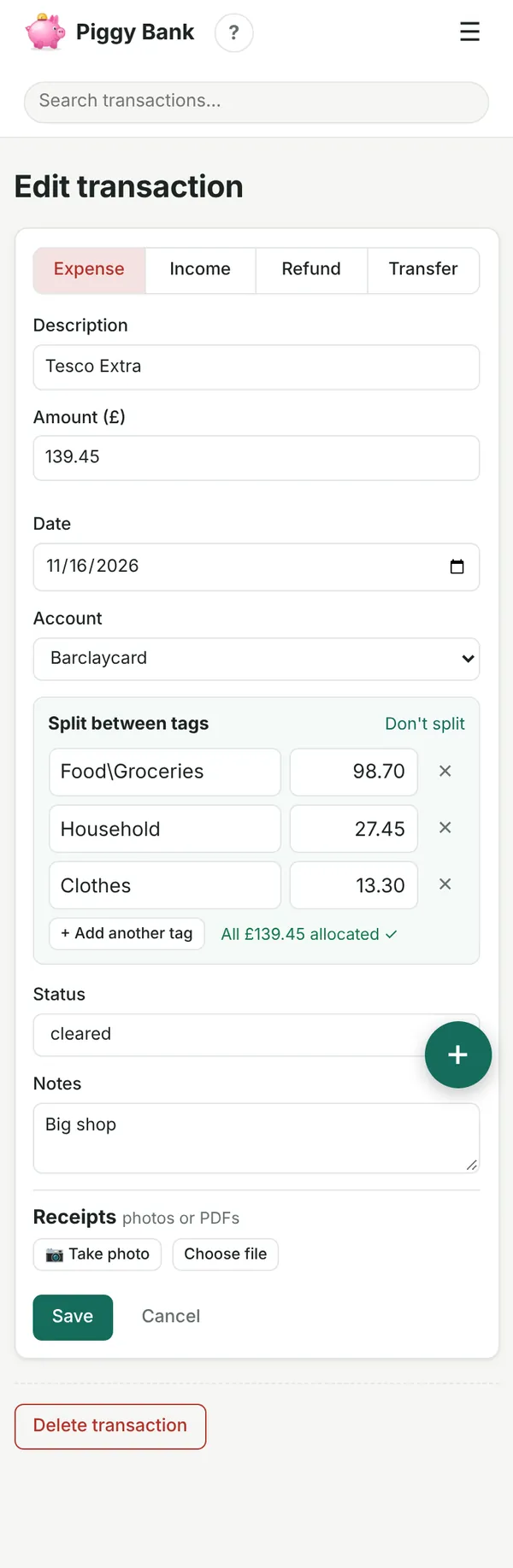
Tags with sub-tags (Food\Groceries), and one purchase can be split across several tags.
Spending by tag, income against spending month by month, and net worth over time, for any dates or account. Print any report, or save it as a CSV for Excel.
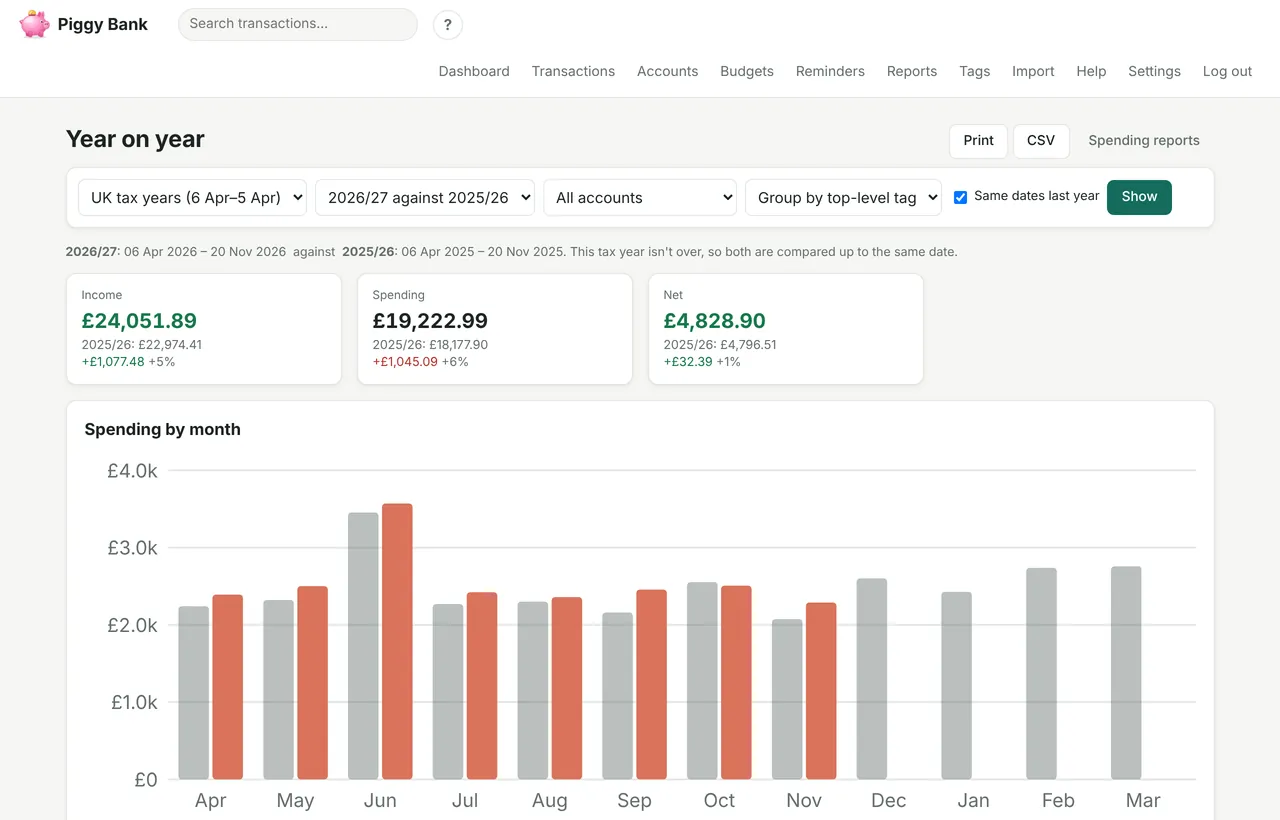
This year beside last year, by tag and by month, on calendar years or UK tax years (6 April to 5 April).
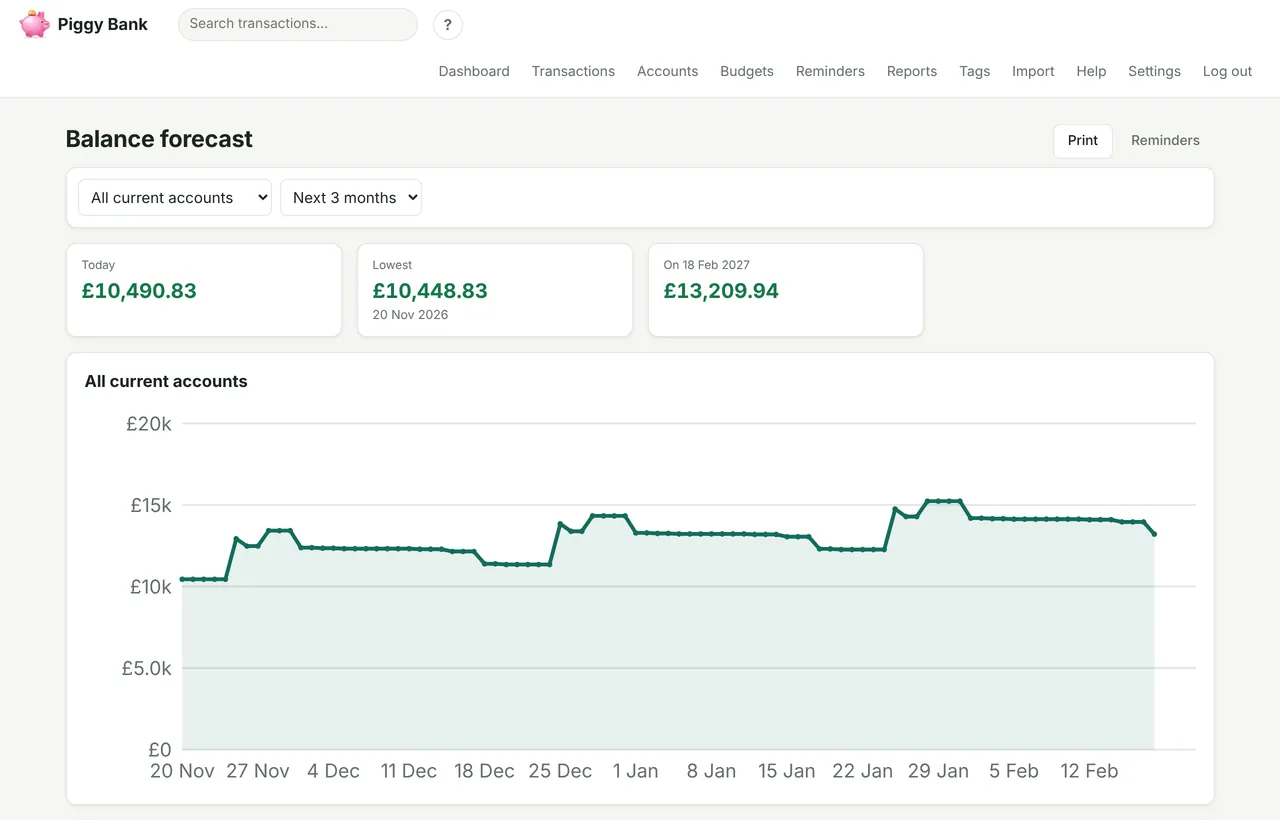
Your bills and pay days laid out for the weeks ahead, so you can see if an account is heading overdrawn before payday.
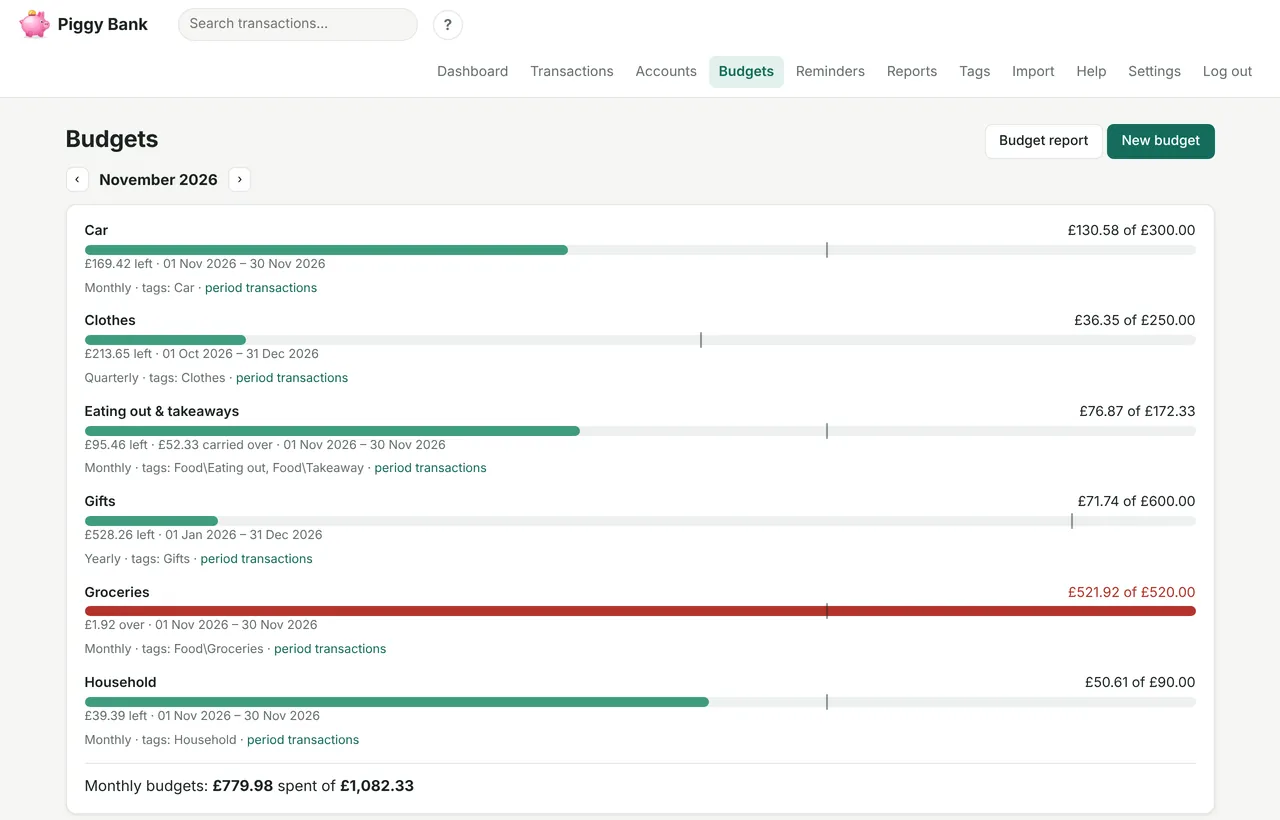
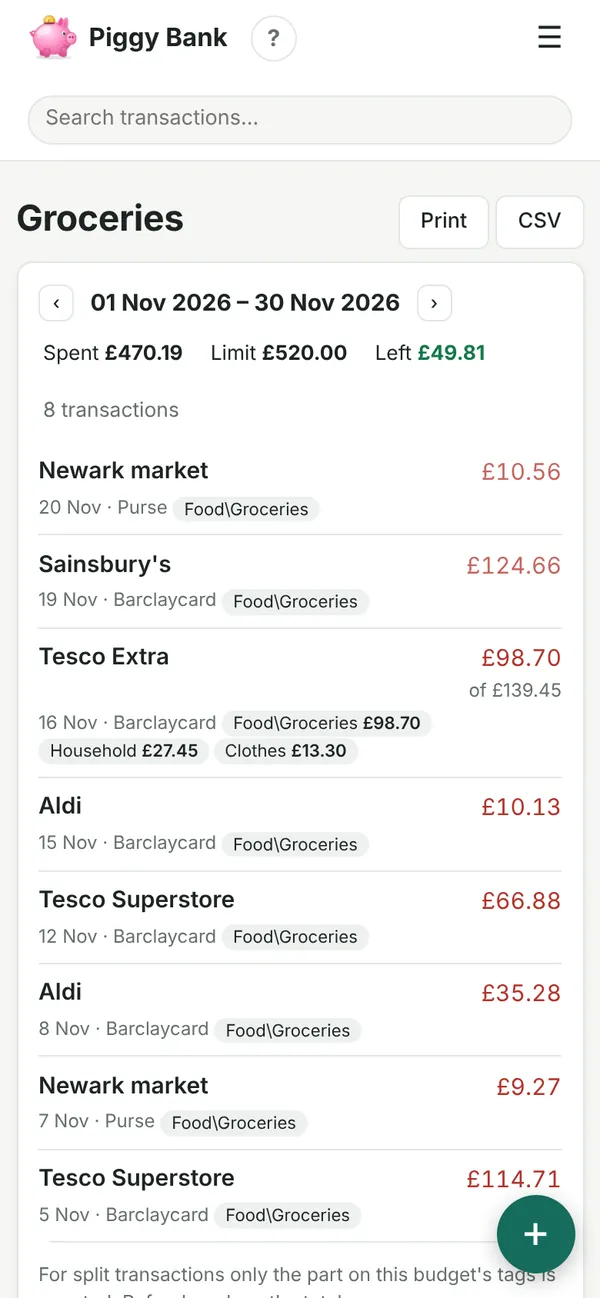
Weekly, monthly or yearly limits on any tag, with a marker showing whether spending is ahead of the month. Let a budget roll over, so what's left builds up for things like car repairs. Tap a budget to see exactly which transactions it counted.
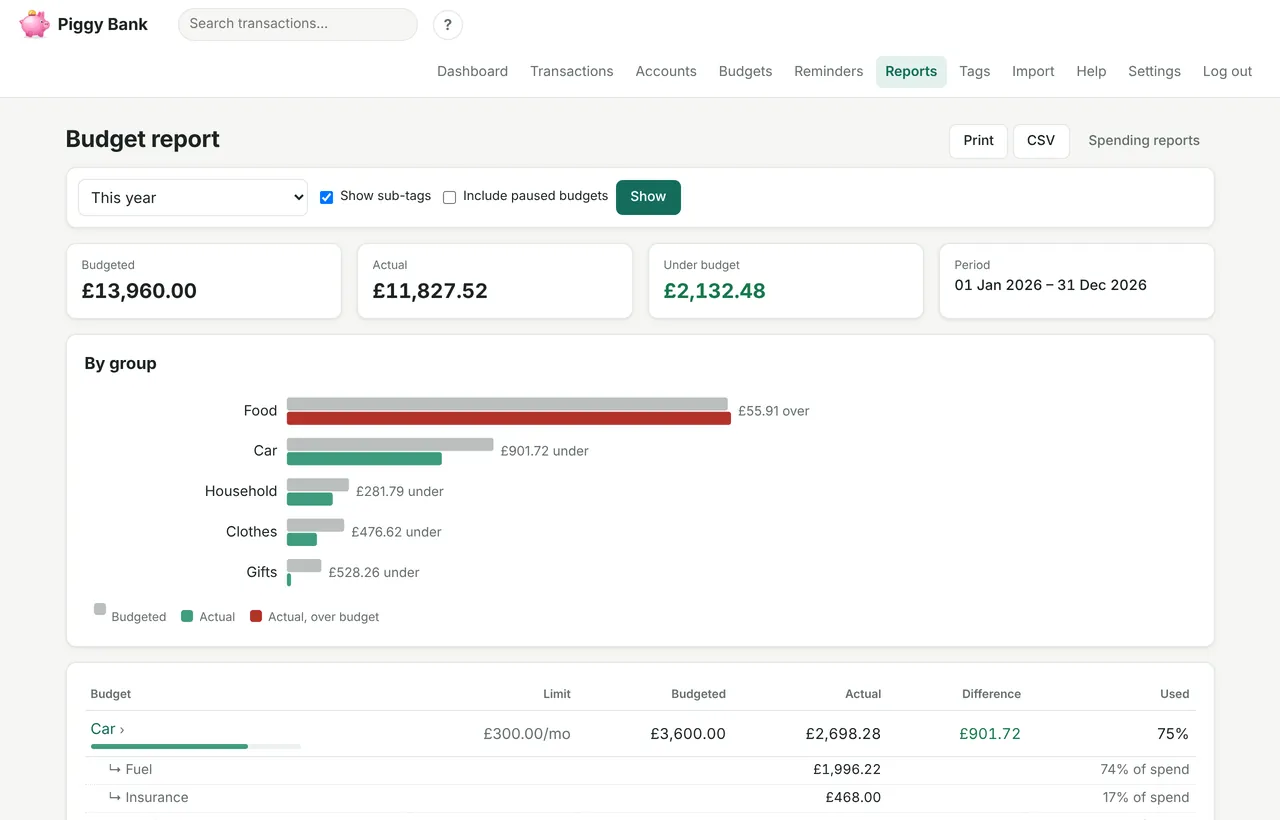
Budgeted against actual for every budget over any period, broken down by sub-tag, plus whatever you spent that no budget covers.
Recurring bills with a one-tap “Paid” button, or let regular ones like direct debits enter themselves when they're due. Optional daily email of what's coming up.
Type a shop you've used before and the amount, account and tags fill in from last time. Prefer a blank form? Switch it off in Settings.
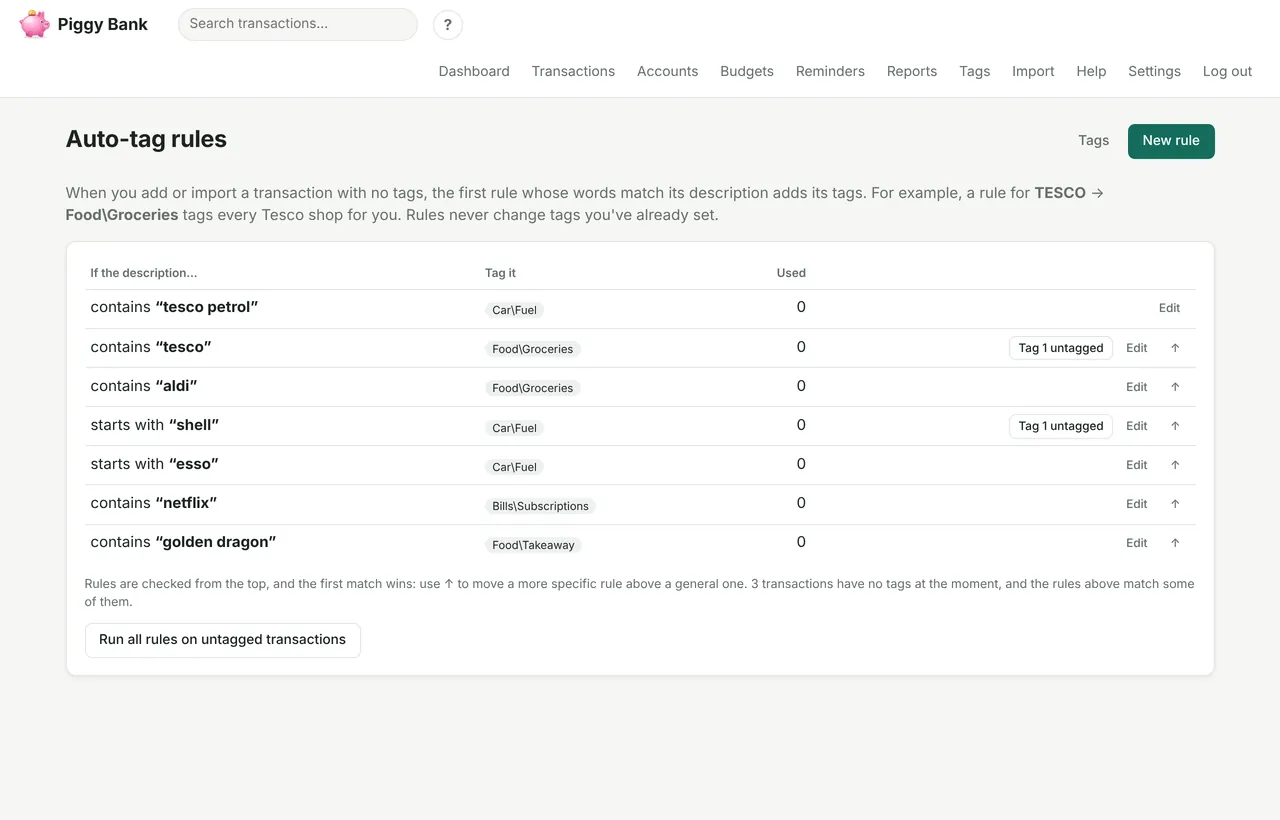
“If it says TESCO, tag it Food\Groceries.” Rules tag new and imported transactions for you, and can tidy up old ones too.
Snap a receipt or guarantee with your phone and keep it with the transaction, so it's there when you need to take something back.
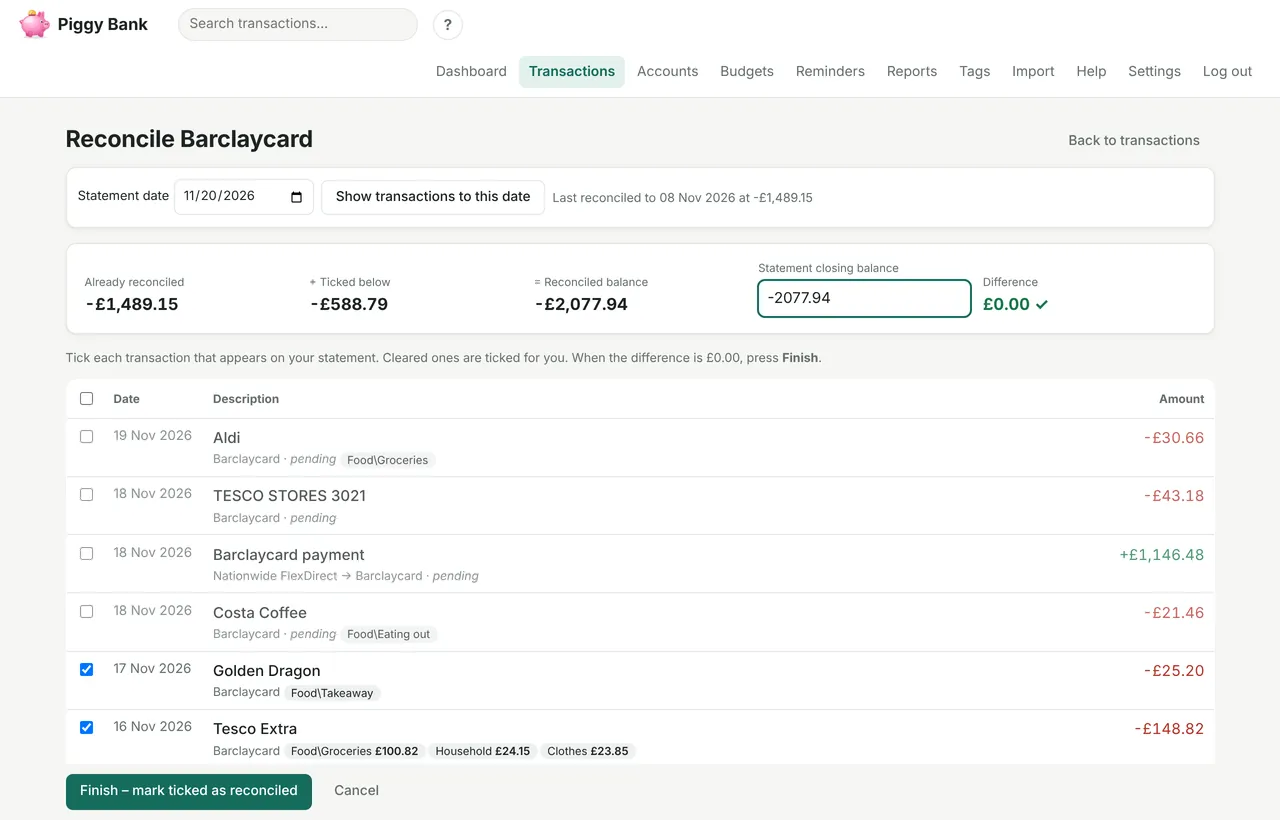
Tick off transactions against your bank statement until the difference is £0.00. Pending, cleared and reconciled at a glance.
Add your partner to your household with their own login, so you both see the same accounts.
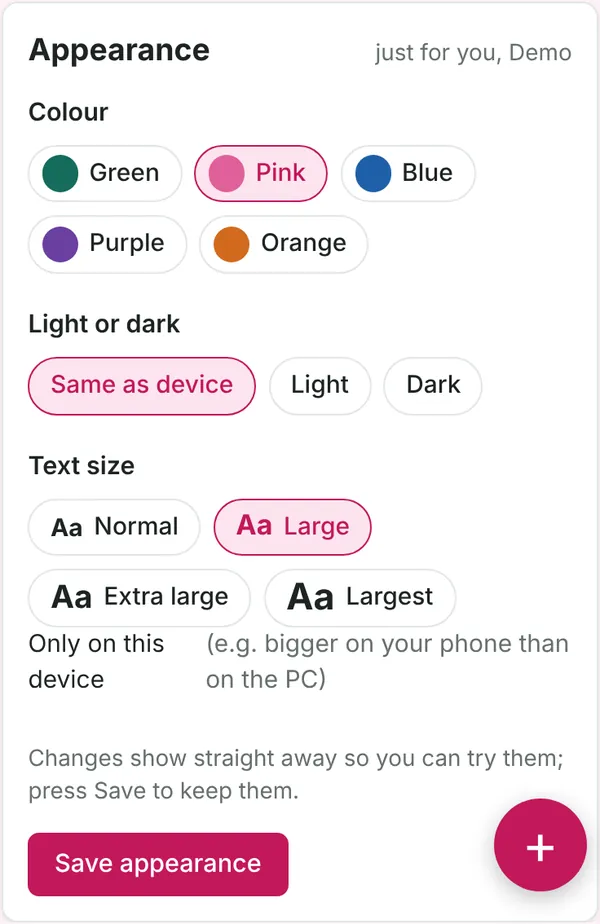
Each person picks their own colour theme (including pink), light or dark, and a text size up to extra large, with a different size on the phone if you like.
Works in any browser, with nothing to install, and is laid out for a phone screen. On Android, add it from Chrome and the pink piggy bank gets its own place in your app drawer.
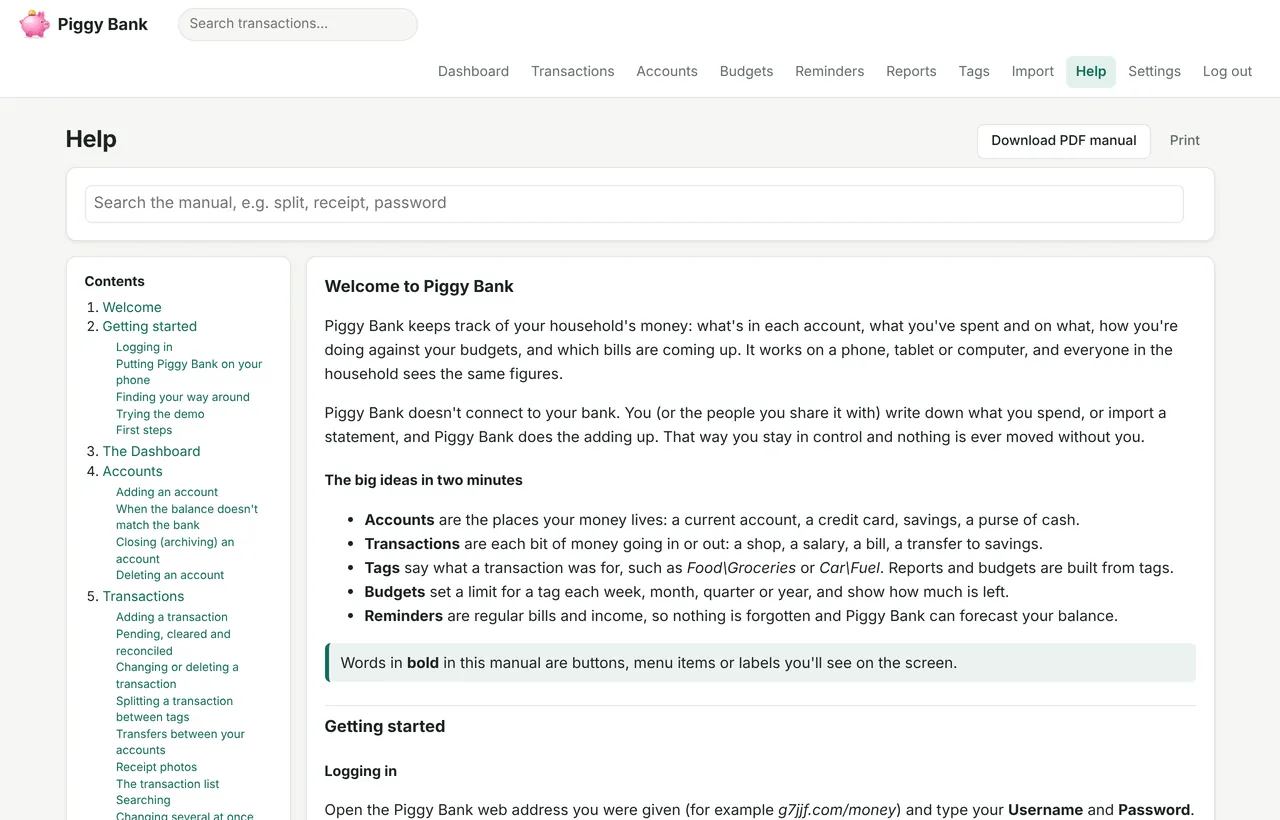
A friendly manual written in plain English, searchable as you type, with a ? on every page that opens the right part. Download it as a PDF too.
Your figures are yours alone. There are no adverts and no tracking, and your details are never shared or sold.
Everything is backed up every night. Export transactions and reports to CSV for a spreadsheet, print them, or download your own copy whenever you like.
These screenshots use made-up figures. Rather try it yourself? Open the demo: your own made-up household to play with, thrown away when you've finished.
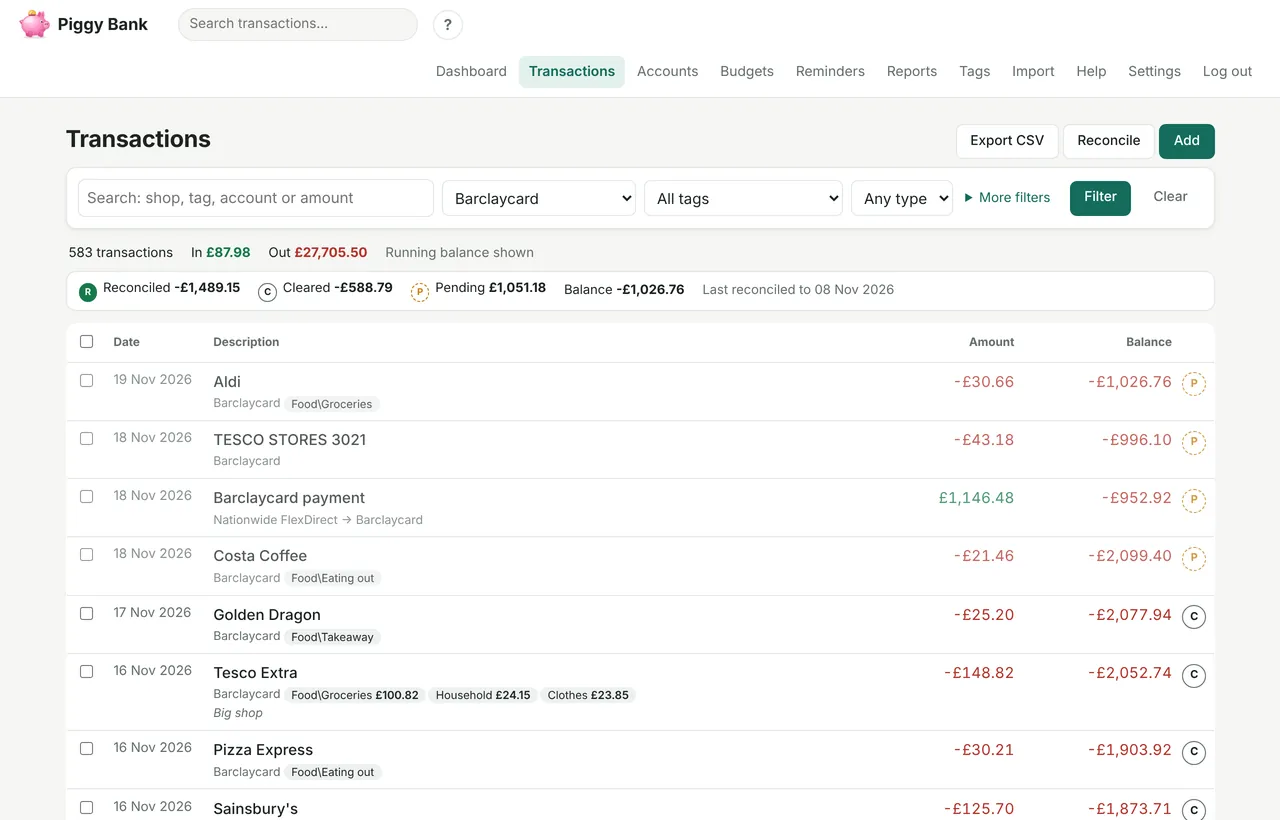
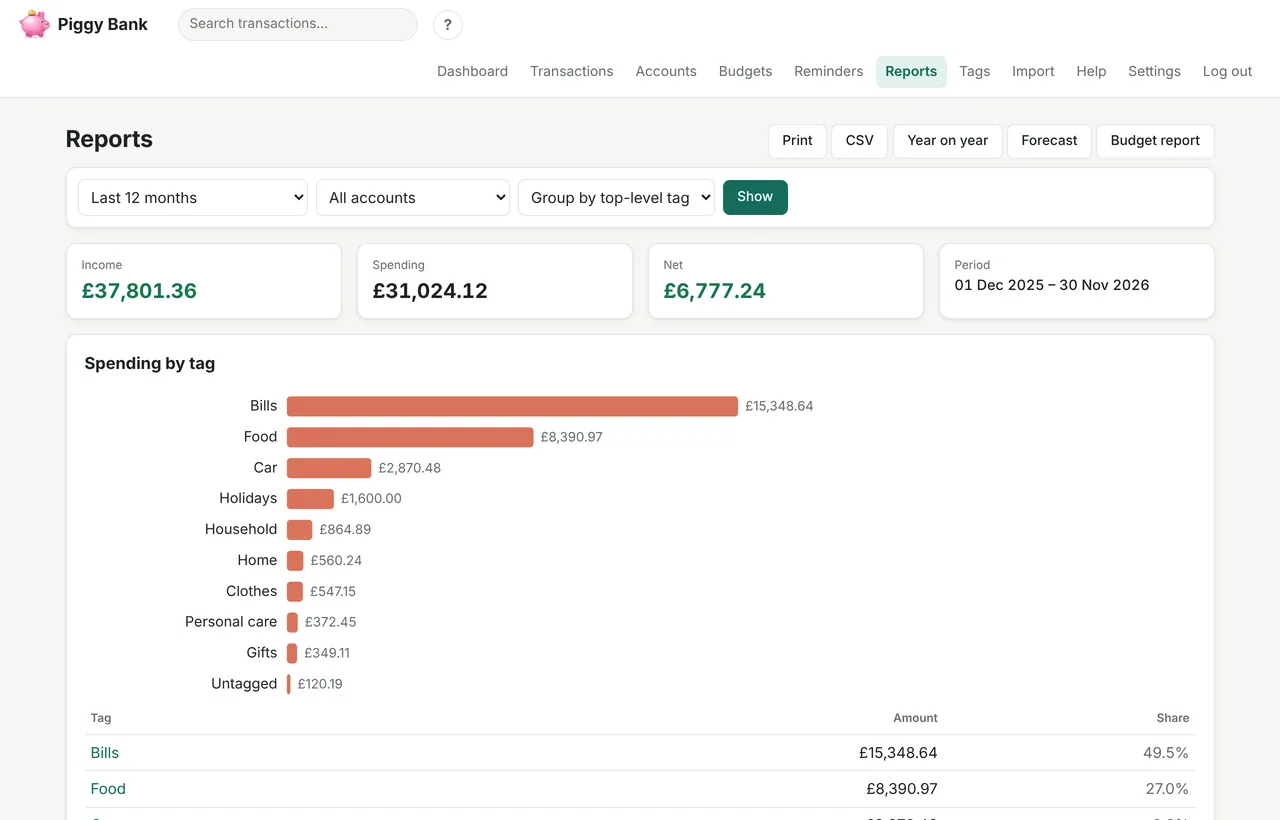
Once your account is ready, export four CSV files from Buxfer and upload them on Piggy Bank's Import page. It works out which file is which.
There's nothing to install. Ask for an account, and you'll get an email when it's ready, usually within a day or so.
Want to share with your partner? Once you're in, add them under Settings and they get their own login to the same household.
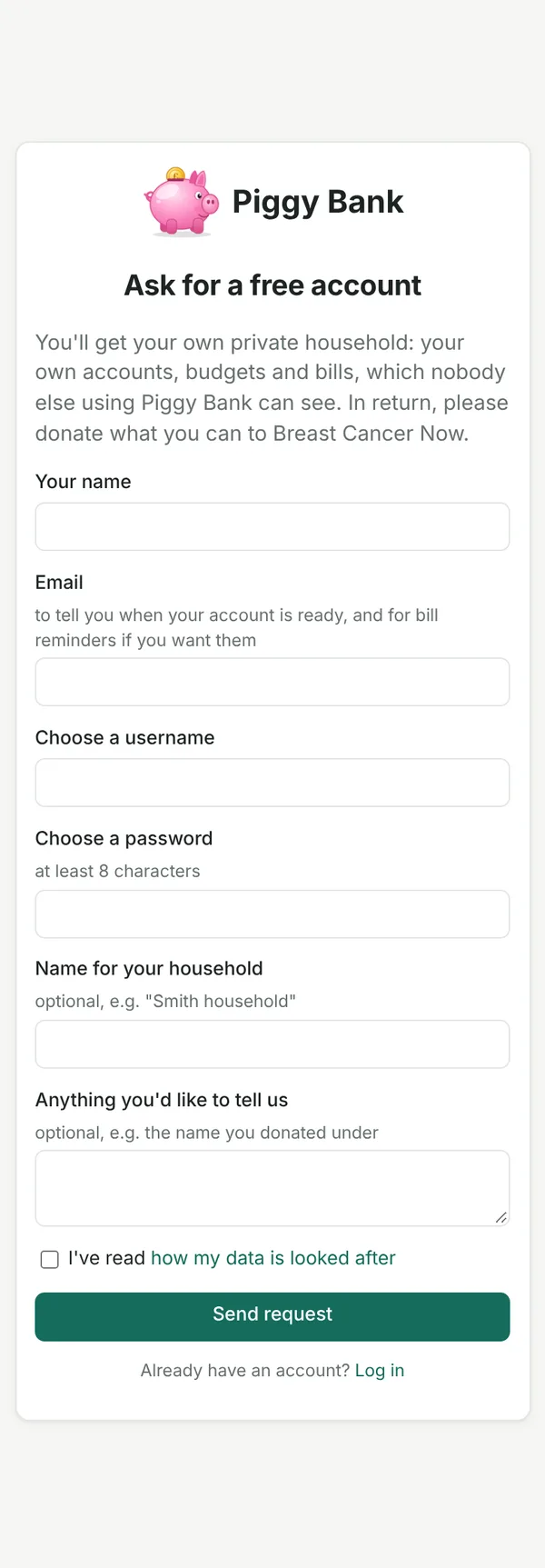
Free accounts in return for a donation to Breast Cancer Now
Ask for a free account Donate to Breast Cancer NowNot sure yet? Try the demo first. Already have an account? Log in here.
Yes. There's no charge, no subscription and no adverts. We simply ask that you make a donation of whatever you can afford to Tracy's JustGiving page for Breast Cancer Now.
Only you, and anyone you add to your household. Other people using Piggy Bank can't see it. See how your data is looked after.
Yes. Add a second login under Settings and you both see the same accounts, each with your own colours and text size.
No. You add transactions yourself or import CSV files from your bank. Some people prefer that, because no bank login is shared with anyone.
Yes, in any browser. On Android, open it in Chrome and choose Add to home screen → Install to give it its own icon in your app drawer. On iPhone, use Safari's Share → Add to Home Screen.
Of course. Start from scratch: add your accounts, and type in transactions or import CSV statements from your bank.
Yes, at any time. Settings lets you export your transactions as a spreadsheet file or download a full backup, and delete your household and login yourself.
Piggy Bank is a free service run by Jon Welch on the g7jjf.com website.
Your name, email address and username; your password, stored in a scrambled form that can't be read back; the accounts, transactions, budgets and reminders you put in, and any receipt photos you add. A record of logins (when, which kind of device and the internet address) is kept for a year to spot anyone trying to get in.
Only to run your account, and to send you the emails you'd expect: that your account is ready, and bill reminders if you ask for them. Your details are never sold or shared, and there are no adverts or tracking. The only cookies are the ones that keep you logged in and remember your colour and text size.
You, and anyone you add to your household. Other Piggy Bank users can't. As the person who runs the service, Jon can technically reach the database, for example to keep it backed up, but won't look at your figures unless you ask him to help with something.
The site only works over a secure (HTTPS) connection, and each household is kept entirely separate from the others. Too many wrong passwords in a row blocks further tries for a while. The database is backed up every night; the last two weeks of backups are kept privately by the person who runs the site. It's a free service run by one person, so please keep your own copy too: download a backup from Settings now and then.
You can export or download your data at any time, and delete your household and login yourself from Settings. If you'd rather, ask Jon through g7jjf.com and he'll do it for you.
 Piggy Bank